How it works, in detail
The flow
- Send out. From the patient's record: case type (crown & bridge, denture, clear aligner, appliance, histopathology…), shade, material, instructions, the lab, and the fit appointment the work is for. A printable work order / Rx comes out of the same form.
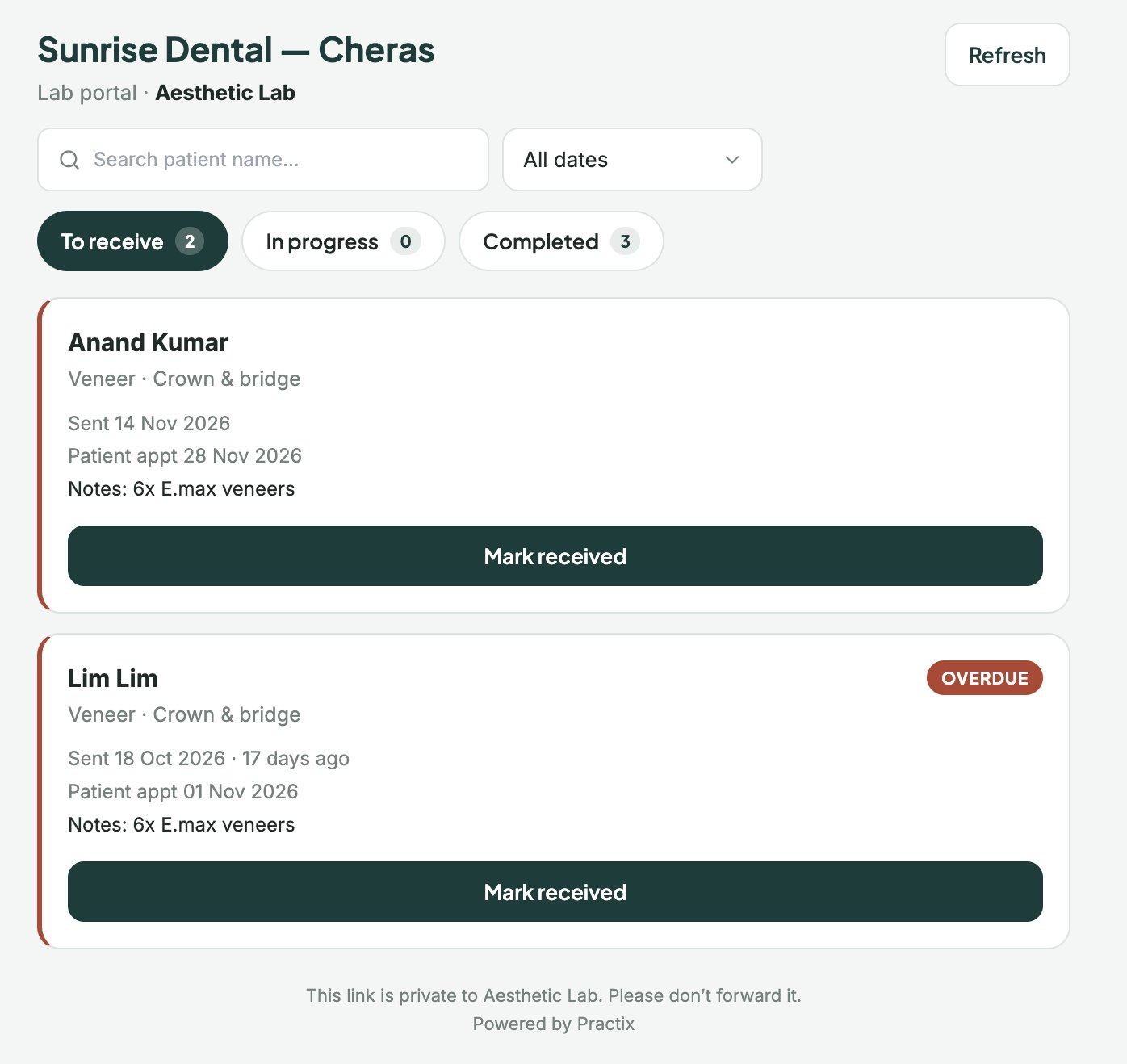
- The lab gets a link. A login-free portal page for that lab, with its open cases. The lab marks Received → In progress → Done, and the clinic sees the change on its register as it happens.
- Due dates follow the appointment. A case due after its fit appointment is flagged on the register and in the clinic's health bell. Move the appointment and the case moves with it.
- Back in the clinic. Received, fitted, or sent back for a remake — each a recorded step with who and when. Remakes keep the history of the previous round.
- Warranty. For case types the clinic warrants (crown, bridge, denture, appliance, implant, root canal), the warranty is registered on the teeth actually treated — not on every tooth in the quote.
Registers, not spreadsheets
Every lab case sits in a register the clinic can search and export: by lab, by patient, by status, by due date. Alongside it are the clinical registers a Malaysian clinic is expected to keep — implant, endo, surgery, ortho, perio, referral and controlled drugs — in the same table style, with the same search.
What the lab portal does not do
It shows a lab only its own cases, with the patient name and the work needed — never the clinical record. Attachments the clinic chooses to share (photos, a scan file) are served through short-lived links that are logged. The lab cannot change a case's clinical details; it can only report status.
Bulk status updates from a lab are marked as approximate on the register, with who entered them and when — a guess that is labelled a guess is data; one that looks like a record is not.